

Dashboard overview
The Yamidoo dashboard is where your team watches conversations, replies to visitors, manages your knowledge base, and configures each widget.
Workspaces and sites
Section titled “Workspaces and sites”Your account is a workspace that can contain multiple projects. A project is one widget installed on one website. Most things you do — conversations, people, analytics, settings — are scoped to the project you’re currently viewing.
Use the site switcher in the sidebar to move between sites.
Navigation
Section titled “Navigation”The sidebar has two levels:
Workspace
- Overview — activity across all your projects.
- Projects — one per website; create and open them.
- Members — invite teammates and manage access (owners/admins).
- Billing — plan and usage (owners/admins).
- Settings — workspace name, timezone (owner).
Project (once you’ve opened a project)
- Live — real-time view of who’s on your site right now.
- Conversations — the inbox and full chat history.
- People — visitors who shared their contact details.
- Analytics — conversation and satisfaction metrics.
- Content gaps — questions the assistant couldn’t answer well.
Configure (owners/admins)
- Sources — the content your assistant answers from.
- Installation — where the chat appears (floating bubble, on the page, or iframe) and the embed code for each.
- Integrations — WordPress and other connections.
- Settings — widget appearance and AI behavior.
The Overview page
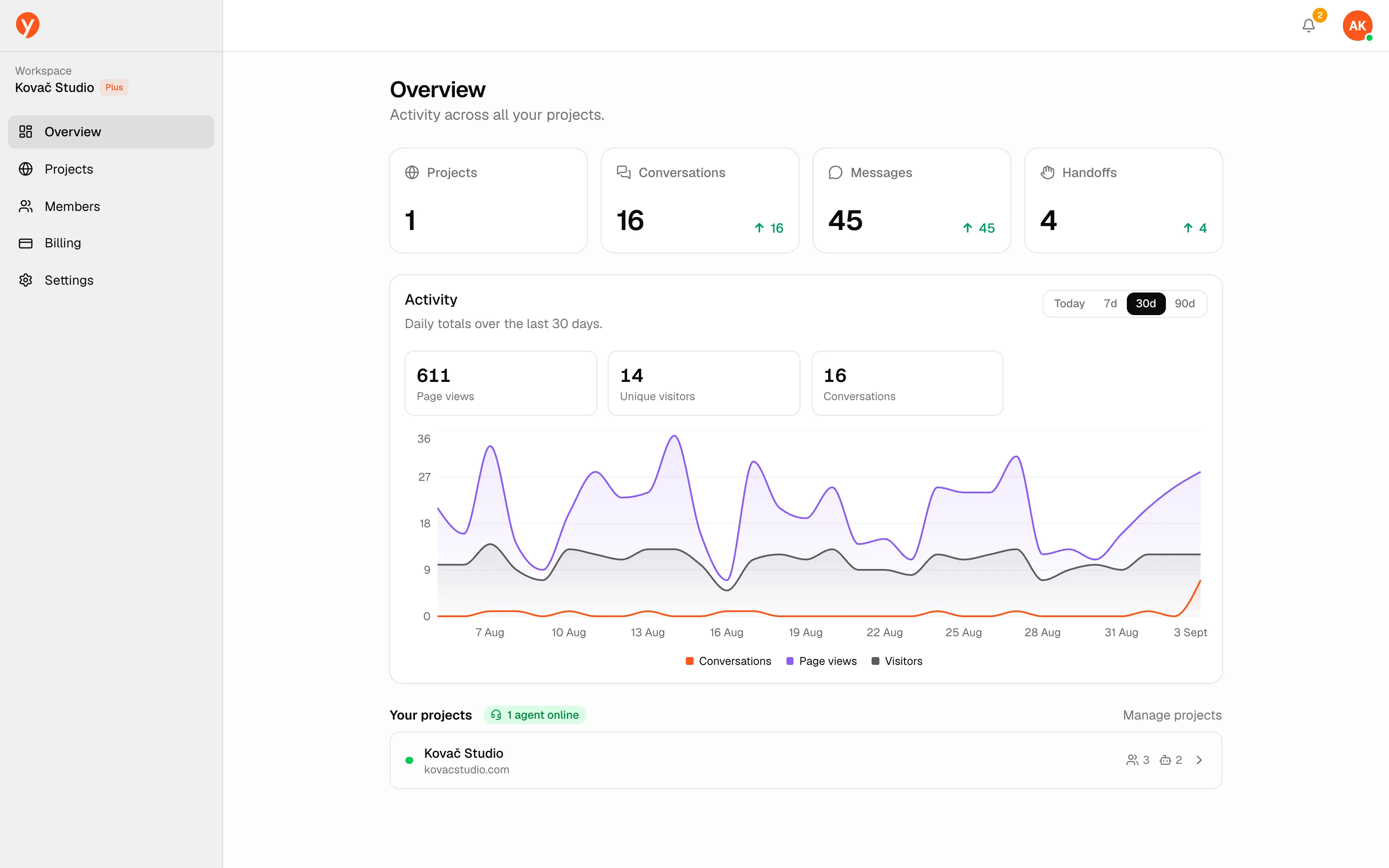
Section titled “The Overview page”The workspace Overview summarizes all projects at a glance: total Projects, Conversations, Messages, and Handoffs (times a visitor asked for a human), plus an activity chart of page views, visitors, and conversations. The chart range is selectable — Today, 7, 30 (default), or 90 days — and the choice carries over to Live and Analytics.
Handoff notifications
Section titled “Handoff notifications”A bell in the top-right shows conversations where a visitor is waiting for a human, across every site. The badge shows how many are waiting; clicking one jumps straight to that site’s Live view. If you allow browser notifications, you’ll also get a desktop alert and a chime when a new handoff comes in.
Next steps
Section titled “Next steps”- Watch and join chats in Live conversations.
- Learn the reply tools in Replying to visitors.