

Availability
Your availability tells Yamidoo whether you’re around to take live chats. It controls whether visitors to a project’s website can see the option to talk to a human.
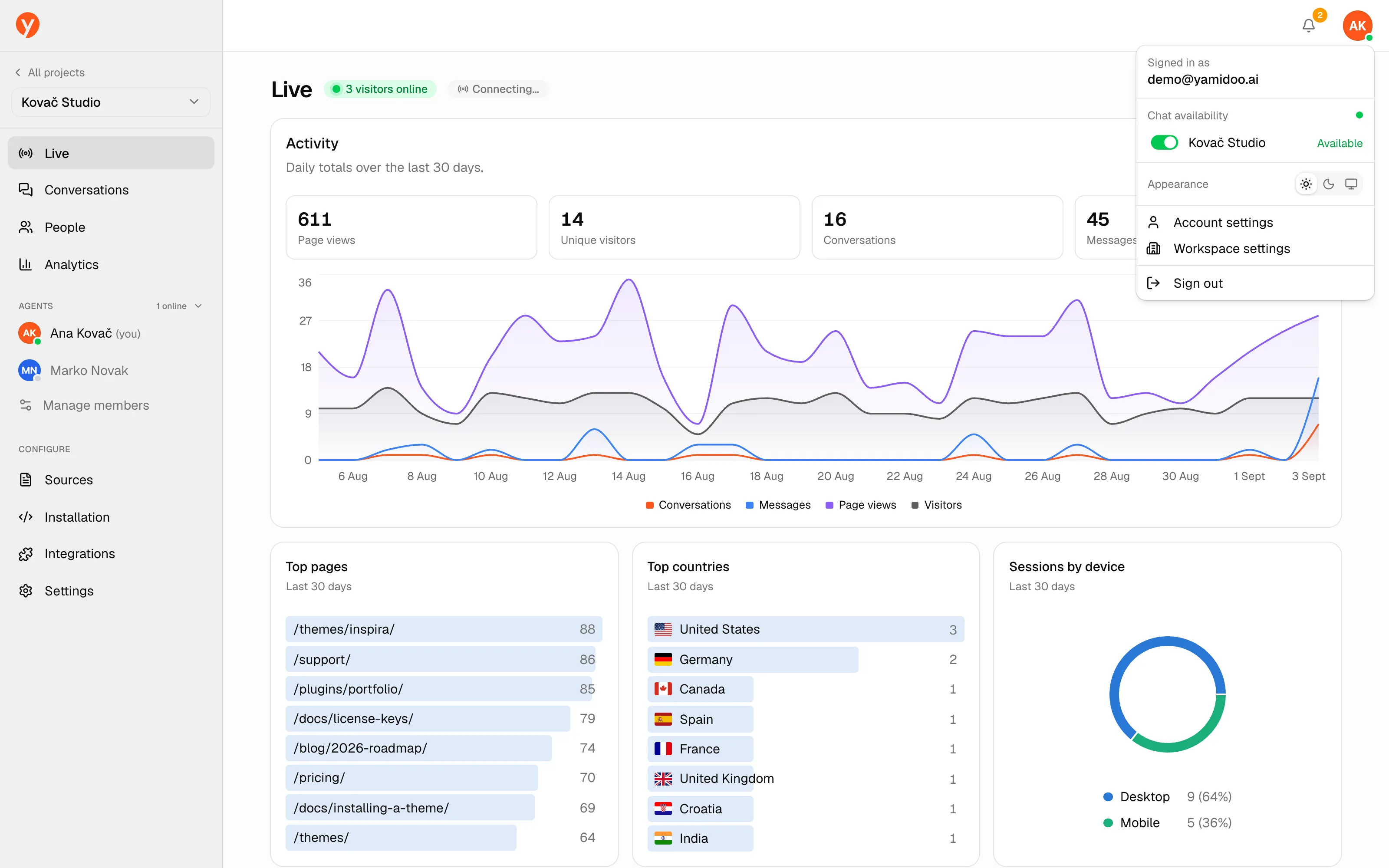
Setting yourself online
Section titled “Setting yourself online”Open the user menu from your avatar in the top-right. Under Chat availability, each project you work on has an Available / Away toggle. Set yourself Available on a project to start receiving its live chats.
Your status shows in the sidebar’s Agents section so the team can see who’s around:
- Online — dashboard open and recently active.
- Idle — dashboard open but quiet for a while.
- Offline — dashboard closed.
How it affects visitors
Section titled “How it affects visitors”When at least one teammate is online for a project, and human handoff is enabled, visitors can choose to talk to a human. If nobody is online, the widget invites them to leave their email instead so you can follow up. You can also require an online agent before offering handoff at all — see Settings and Human handoff.