

Billing & plans
Billing is where owners and admins choose a plan, manage payment, and track usage. There’s a free plan to start, with paid plans for more capacity and seats.
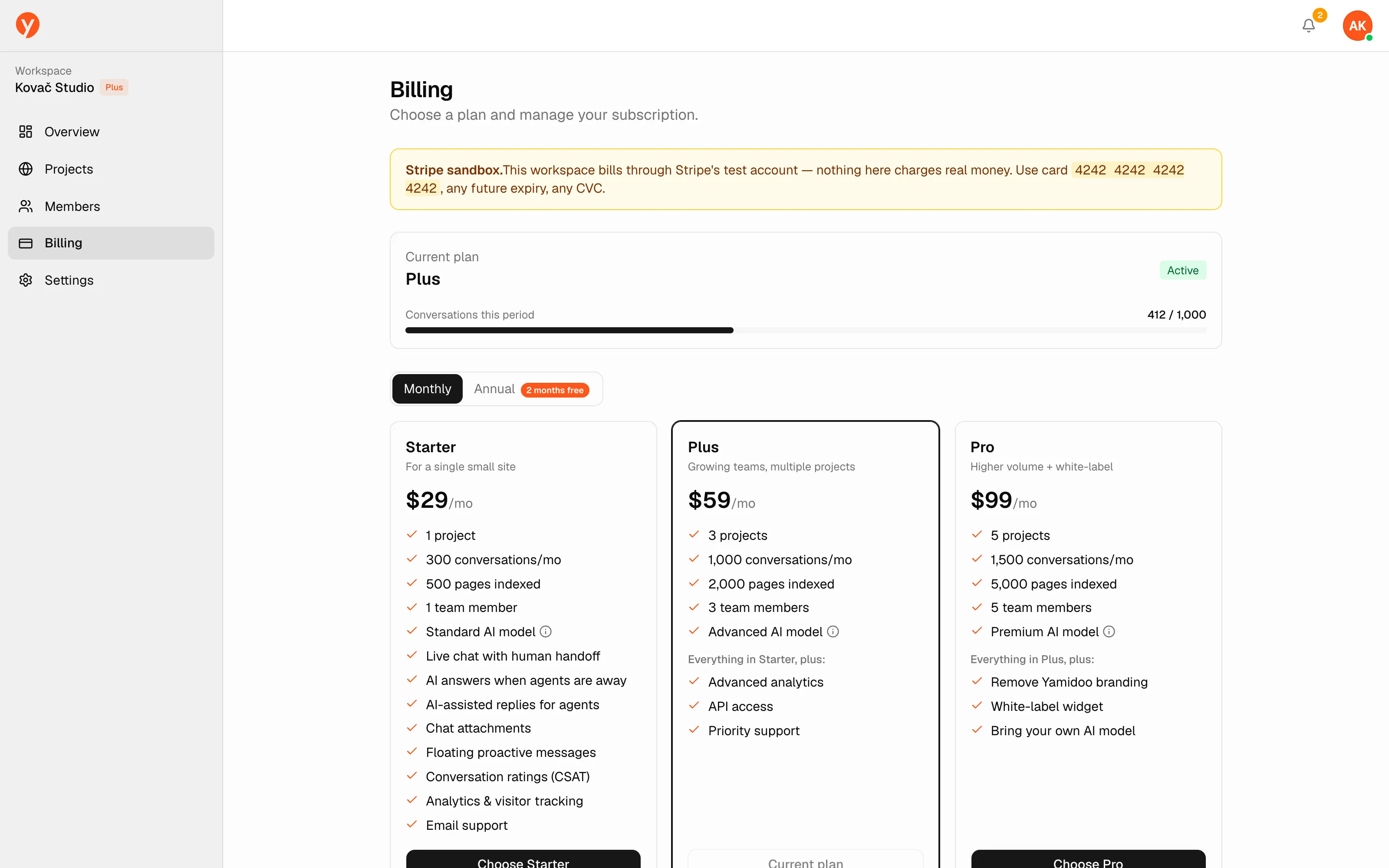
| Free | Starter | Plus | Pro | |
|---|---|---|---|---|
| Price | $0 | $29/mo or $290/yr | $59/mo or $590/yr | $99/mo or $990/yr |
| Conversations / month | 50 | 300 | 1,000 | 1,500 |
| Indexed pages | 100 | 500 | 2,000 | 5,000 |
| Projects | 1 | 1 | 3 | 5 |
| Seats | 1 | 1 | 3 | 5 |
| Model | Claude Haiku 4.5 | Claude Sonnet 5 | Claude Sonnet 5 | Claude Sonnet 5 |
| Overage | — | — | $0.08 / conversation | $0.06 / conversation |
| Support | Community | Priority | Priority |
Annual billing is two months free. You’re charged in EUR in the EU and USD everywhere else — same numbers. Need more than Pro? Enterprise is custom; email hello@yamidoo.ai.
Add-ons on any paid plan: an extra team member is $19/mo, an extra project $20/mo. For now, request them by email at hello@yamidoo.ai.
Your plan
Section titled “Your plan”The current plan card shows your plan, its status (Active, Payment overdue, or a renewal/cancellation date), and a Manage billing button that opens the secure payment portal to update your card or invoices.
A Conversations this period meter shows how much of your monthly allowance you’ve used. As you approach the limit the meter turns amber, then red. You’ll also get an email at 75%, 90%, and 100% of your limit.
What counts as a conversation
Section titled “What counts as a conversation”A conversation is one visitor’s thread. After 24 hours of inactivity — or once it’s closed — the visitor’s next message starts a new, separately counted conversation. Only conversations with AI replies count toward your plan; human replies never do.
Changing plans
Section titled “Changing plans”Pick a plan from the plan picker to upgrade or switch; monthly and annual options are available. A downgrade takes effect at the end of your current period — you keep your present plan until then.
Paid plans include seats for teammates. If you need more, upgrade here or add a seat — see Team & roles for how seats are used.