



Yamidoo is live: why we built it and how it went
The AI support chat WPZOOM built for its own site is open to everyone: free plan, WordPress plugin. Why we built Yamidoo, and the numbers so far.
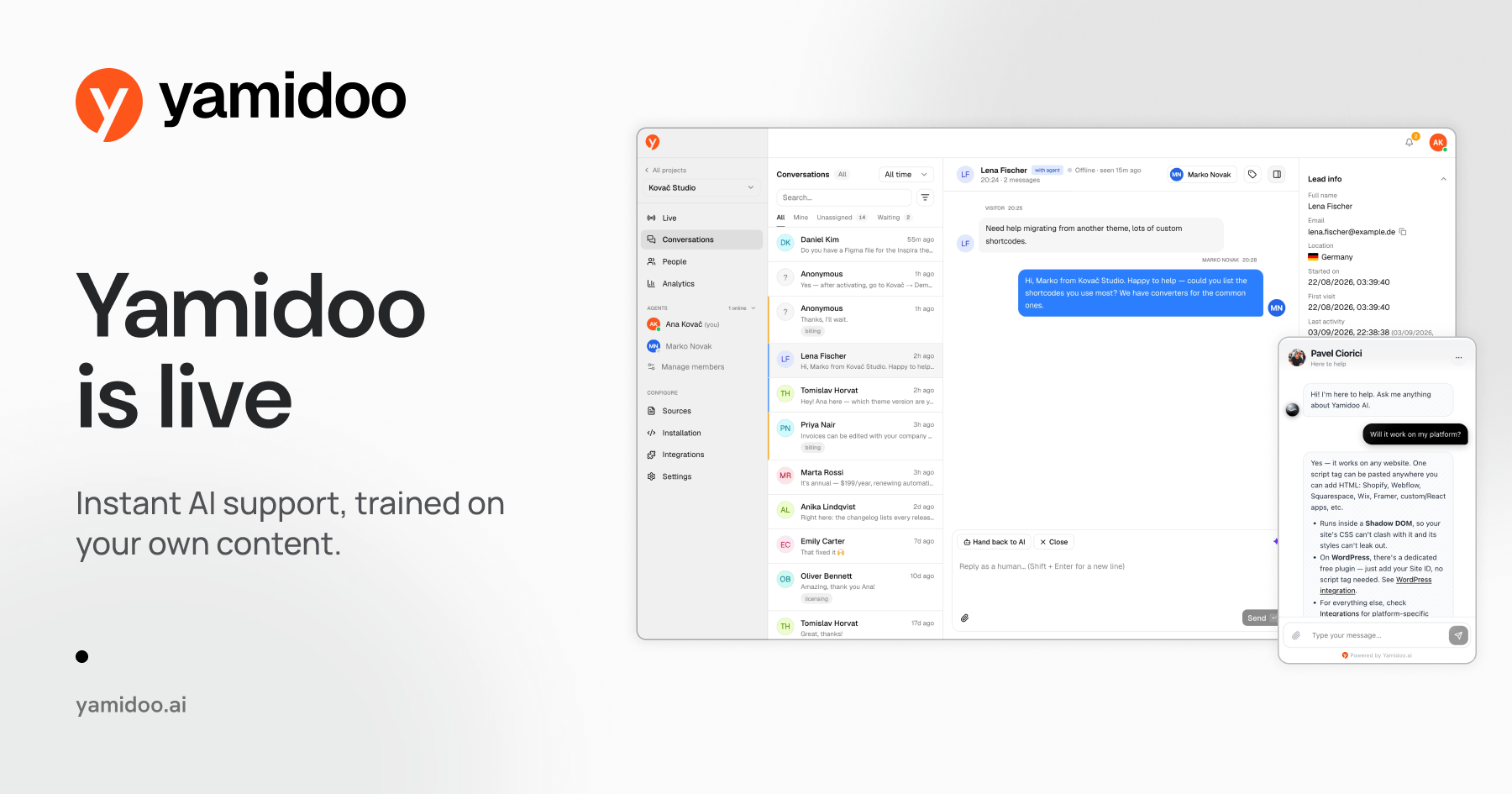
Yamidoo is live. It is an AI support chat for your website: it answers visitors from your own pages and docs, shows the page each answer came from, and keeps a person one click away. It has been running on wpzoom.com since July and on recipecard.io since August, and now anyone can add it to their site. There is a free plan with no credit card, a free WordPress plugin, and one script tag for everything else.
We built it for ourselves before we made it a product. Here is why, and what happened when we put it on our own site.
What happened on wpzoom.com
In July we put Yamidoo in the corner of every page on wpzoom.com, pointed it at our documentation and our site, and left it there.
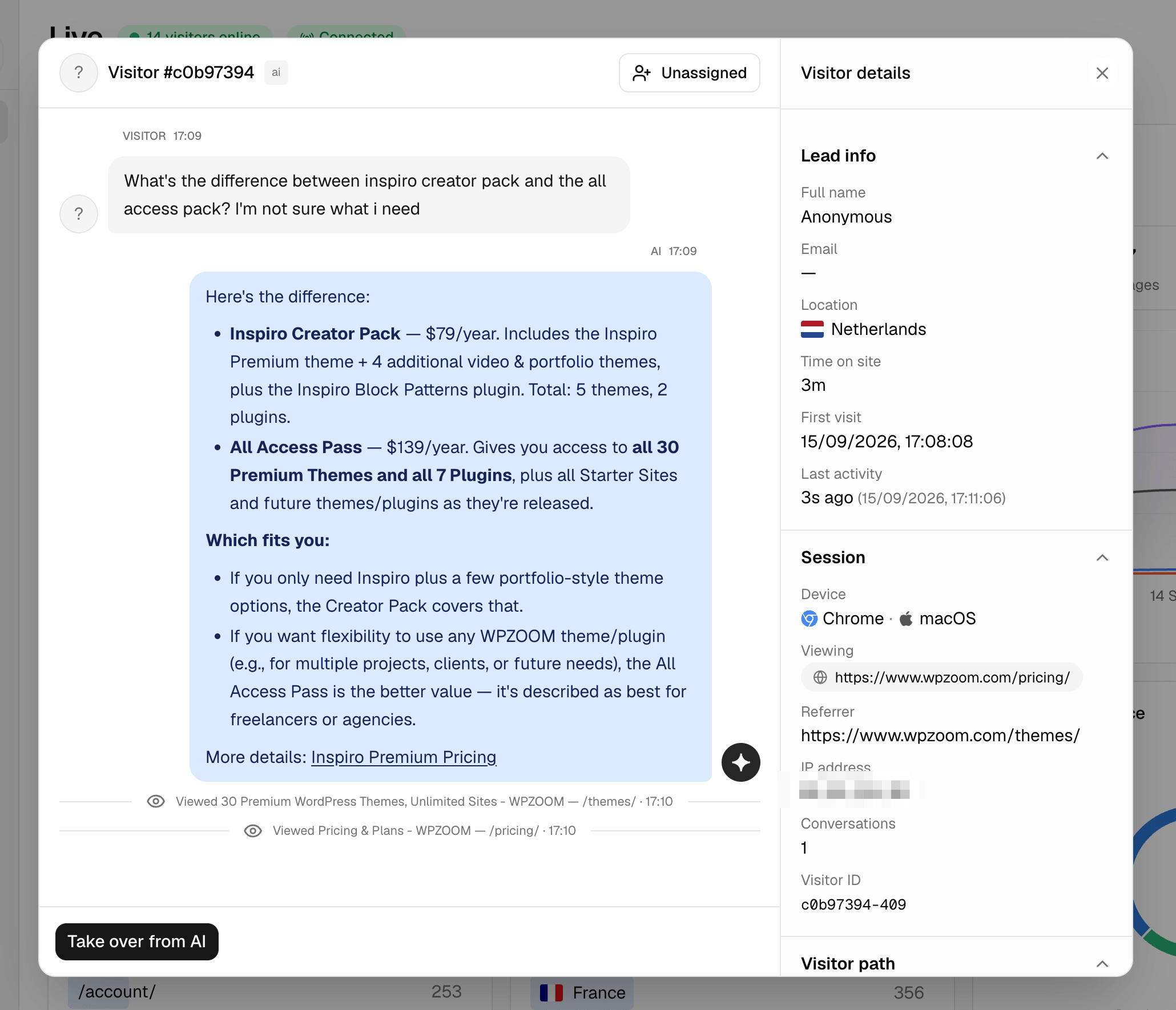
As of September 11, it has handled 439 conversations. In 85% of them the visitor never asked for a human. The average reply took 7 seconds. Before Yamidoo, the first reply to a support email from us took about 6 hours.
The other 15% did ask for a person, and that is the number I care about most. Those are the conversations where a page on our site was never going to be enough. Someone from the team took over, in the same chat, with the whole conversation already on screen. That is the product working, not failing.
The conversations also told us what our site was missing. Every answer can be rated with a thumbs up or down, and we read the thumbs-down ones. So far they have led to more than 100 new support articles on wpzoom.com.
The same questions since 2009
WPZOOM has built WordPress themes and plugins since 2009. They run on more than 250,000 sites, and we answer the support for all of them ourselves.
Most of the questions we get are already answered somewhere on wpzoom.com: in the documentation, in the FAQ, on the pricing page. They still land in the inbox, day and night, and someone on the team sends back the link or a saved reply. The customer waited for an answer that was on the site the whole time.
That is the itch behind Yamidoo. Not “AI is everywhere now”, but: the answer already exists, so why does a person have to retype it?
What we wanted from a support chat
We did not set out to build a product. We set out to fix our own inbox, and we looked at what was already out there first. The help desks and chat tools we tried are good at what they are built for: shared inboxes, tickets, seats for a support team, reports for a manager. We did not need most of that for a website that gets the same questions every day.
What we needed was short:
- Answers from our real pages and docs, kept fresh without re-uploading anything.
- A person who can watch a conversation and take it over in the middle, not a bot that ends in an email ticket.
- WordPress treated as a first-class install, not a generic embed that fights the theme and the caching plugin.
So we built it, and we ran it on our own site first.
AI first, human always, in plain words
That line is on our site, so here is what it means in practice.
AI first: every question gets an instant answer, written from your own pages, with the page it came from linked under it. If the answer is not on your site, Yamidoo says it does not know and offers a person instead of guessing.
Human always: the visitor can ask for a person at any time, with one tap or in their own words. Every conversation is visible live in the dashboard, and anyone on the team can take over mid-thread, with a reply already drafted from the conversation so far. When they step away, the AI picks the conversation back up. Human replies never count against your plan.
On wpzoom.com, most conversations start and end without anyone from the team. When a visitor asks for a person, the conversation shows up in the dashboard with everything said so far, and whoever picks it up replies in the same window the visitor is already using, under their own name and photo. When nobody is online, the visitor is asked for an email address and we follow up. How handoff works is in the docs.
What it is not: a help desk. There is no ticketing and no shared email inbox, and it only knows what is on your site.
Why the name Yamidoo
If you have been a WPZOOM customer for a long time, the name may ring a bell. Yamidoo Magazine was our first theme, released in February 2009. It is retired now, and you can still find it on our retired themes page.
Try it
If you want to try it, the free plan is 50 conversations a month, no credit card, no expiry. Paid plans start at $29 a month, and when a plan reaches its limit the AI pauses instead of billing you more. On WordPress, the plugin installs it with one field; anywhere else, it is one script tag.
If you want to see what it would answer on your own site before signing up, the Support Readiness Scan reads a few of your pages and shows you in about ten seconds.
The chat in the corner of this page is Yamidoo, running on its own site. Ask it anything about Yamidoo. If it does not know, it will say so and offer a person. If you would rather write, hello@yamidoo.ai reaches me directly.
Frequently asked questions
- Is Yamidoo the WPZOOM theme?
- No. Yamidoo Magazine was a WPZOOM theme, now retired. The name belongs to Yamidoo the AI support chat, built by the same company.
- Do I need to be a WPZOOM customer to use Yamidoo?
- No. Anyone can sign up on the free plan, on any site. The WordPress plugin is free, and every other platform uses one script tag.
- Where can I see Yamidoo running?
- On wpzoom.com, on recipecard.io, and on yamidoo.ai itself: the chat in the corner of the page is Yamidoo. The Support Readiness Scan at yamidoo.ai/scan shows what it would answer on your own site.